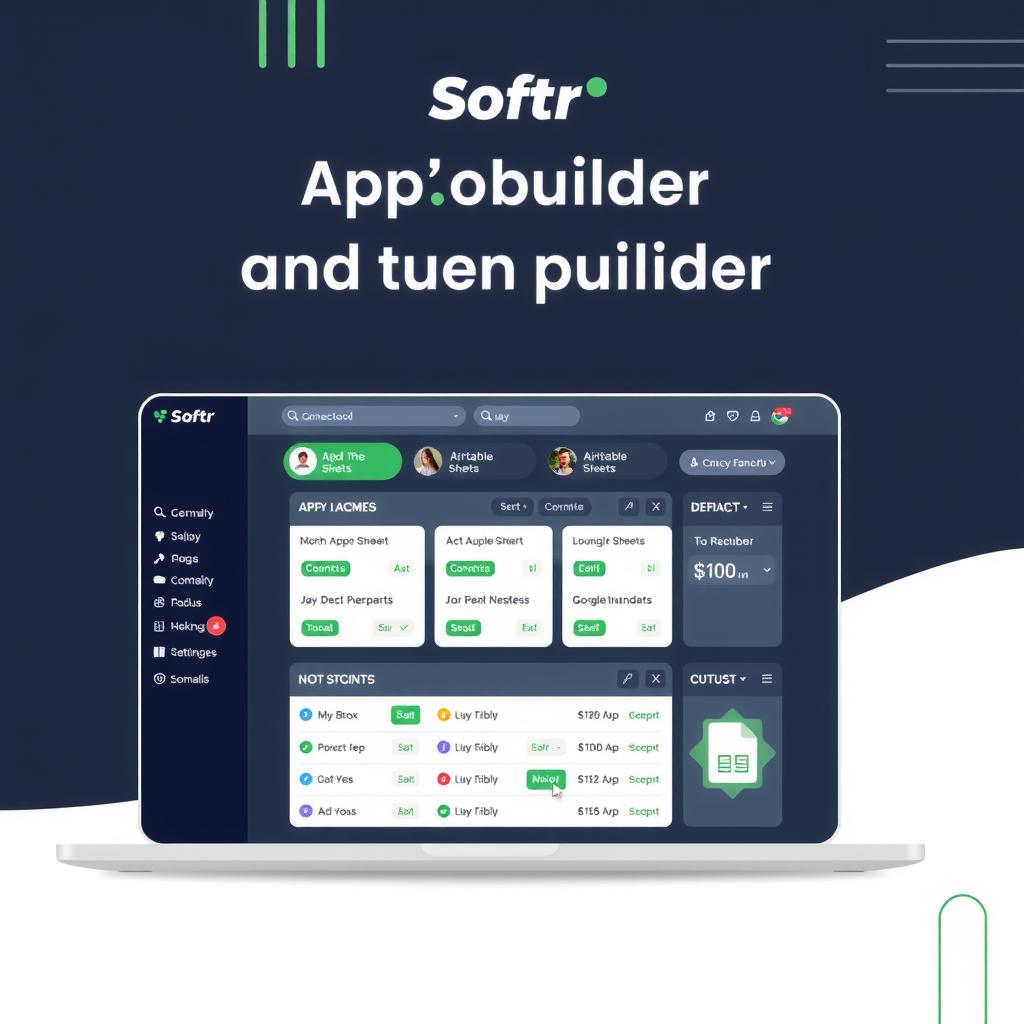
Softr Review 2026: AI-Powered No-Code App Builder for Portals and Internal Tools
Softr is a no-code platform for building client portals, internal tools, and business apps with its new AI Co-Builder. We tested it for 30 days. Honest pros, cons, pricing breakdown, and who should use it in 2026.
TL;DR
Softr is the fastest way to build client portals, partner dashboards, and internal tools without writing code. Its new AI Co-Builder (launched March 2026) turns a text description into a working app with database, pages, and permissions in minutes [1]. Flat-rate pricing means no per-user sticker shock — $139/month for unlimited apps and 100 users on the Professional plan [2]. The tradeoffs are real: limited mobile experience (progressive web app only, no native apps), fewer UI customization options than Bubble or FlutterFlow, and vendor lock-in since you can’t export your app. Best for SMBs and agencies building data-driven portals and internal tools. If you need native mobile or complex multi-step workflows, look at alternatives.
What Is Softr?
Softr is a Berlin-based no-code platform that lets non-developers build business software — client portals, partner dashboards, internal tools, and inventory trackers — using a drag-and-drop visual builder. Founded in 2020, Softr has grown to over 1 million users worldwide and maintains a 4.7/5 rating on G2 from 700+ reviews [3].
The core idea: connect your data (Airtable, Google Sheets, HubSpot, SQL databases, or Softr’s own built-in database), then build an app interface by dragging pre-built blocks onto a canvas. The result is a responsive web app accessible from any browser — no coding, no DevOps, no app store submission process.
Softr positions itself as the “AI platform for business software.” The headline feature in 2026 is the AI Co-Builder, announced in March 2026 [1]. You describe what you need in plain language — “a client portal where contractors can view invoices, submit timesheets, and see their project status” — and the AI generates a working app with the database schema, pages, navigation, and user permissions all wired up.
Who it’s for: Operations managers, agency owners, and small business teams who need to spin up client portals and internal tools fast. If you can use Google Sheets, you can build a Softr app.
Key Features
AI Co-Builder
The AI Co-Builder is Softr’s most significant 2026 addition [1]. Unlike simple website generators that create a landing page from a prompt, the Co-Builder generates an entire application — database tables, relationships, page layouts, navigation structure, user roles, and permissions — all from a single text description.
In testing, the AI-generated apps are functional out of the gate. A prompt like “Build a vendor management portal where suppliers register, submit proposals, and track contract status” creates a multi-page app with a vendor database (name, status, contract dates, documents), a registration form, a proposal submission page, and role-based access where vendors see only their own data.
The AI handles about 80% of the work. You still need to tweak the layout, adjust field types, and fine-tune permissions. But the starting point is much further along than starting from a blank canvas [1]. You also get 200 AI credits on the free plan and 1,000 on paid plans — one credit typically covers one AI generation action.
Drag-and-Drop Visual Builder
Softr’s builder uses a block-based system. You choose from pre-built sections — lists, tables, kanban boards, calendars, charts, forms, maps, and detail pages — and drag them onto your page. Each block connects to your data source automatically based on the fields you select [4].
The canvas updates in real time as you make changes. You can switch between desktop and mobile preview to check responsiveness. Custom CSS is available for advanced styling tweaks, but you rarely need it — the built-in theme editor handles colors, typography, and spacing consistently across all pages.
Built-in User Authentication and Permissions
Softr includes a complete user authentication system out of the box — no third-party auth service required. You can configure:
- Email/password login (magic link or password)
- Social login (Google, Apple, Microsoft)
- SSO (SAML-based, on Business plan)
- User groups and roles for granular access control
- Public or private apps (gated behind login)
This is a major differentiator from Bubble, where you build authentication from scratch, or from simple page builders that don’t support user accounts at all [5]. For client portals, this is often the feature that saves the most development time.
17+ Native Data Source Integrations
Softr connects to 17+ data sources natively, including Airtable, Google Sheets, HubSpot, Notion, monday.com, Supabase, BigQuery, SQL databases (PostgreSQL, MySQL, SQL Server), Xano, and Softr’s own built-in database [6].
The built-in Softr Database is the simplest option for new projects — you define fields through a spreadsheet-like interface, and the app builder reads the schema automatically. For existing data, Airtable and Google Sheets sync in both directions, meaning changes made in your app reflect back in the source spreadsheet.
Two-way sync is a genuine advantage over competitors like Glide, where external data sync consumes “updates” from your plan quota [7]. Softr doesn’t meter sync operations the same way.
Pre-Built Templates
Softr ships with templates covering the most common use cases: client portals, partner portals, employee intranets, vendor management, CRM, inventory tracking, project dashboards, knowledge bases, and membership sites [4].
Each template comes with pre-built pages, sample data, and configured user roles. You can customize everything — colors, layout, fields, workflows — without touching the template’s underlying structure. For agency use cases, you can create a master template and clone it for each client with custom branding.
Workflow Automation
Softr includes a workflow builder for server-side automation — triggered actions that run when a user submits a form, a record is created, or a scheduled time is reached. Workflow actions include sending email notifications (via SendGrid or SMTP), pushing data to webhooks, updating records, and calling external APIs [8].
Workflow automation is less sophisticated than dedicated automation platforms like Make or n8n. You won’t build complex multi-branch logic or condition chains inside Softr. For advanced automation, most teams pair Softr with Make (formerly Integromat) or Zapier, both of which Softr integrates with natively.
Pricing
Softr pricing in 2026 uses flat-rate tiers with user caps, no per-seat pricing [2]:
| Plan | Price (annual) | Apps | Users | Softr Database Records | Best For |
|---|---|---|---|---|---|
| Free | $0 | 1 | 10 | 5,000 | Learning and prototyping |
| Basic | $49/mo | 3 | 20 | 50,000 | Small teams, single project |
| Professional | $139/mo | Unlimited | 100 | 500,000 | Growing teams, multiple portals |
| Business | $269/mo | Unlimited | 250+ | 1,000,000+ | Agencies, larger organizations |
Key pricing details to know:
- All plans include unlimited apps (Basic caps at 3 published apps)
- Extra users on Professional: $10/month per additional 10 users, up to 250 max
- Custom domain support starts on the Basic plan
- AI credits: 200/month on Free, 1,000/month on paid plans [1]
- Business plan adds SSO (SAML), priority support, audit logs, and advanced permissions
- No annual commitment required — monthly billing available at slightly higher prices [2]
Real-world cost comparison: A team of 50 on Softr Professional costs $139/month flat. The same team on Glide Business would cost $199 + (20 × $5) = $299/month [7]. On Bubble, the Team plan with comparable features runs $134/month plus workload units that vary unpredictably [9]. Softr’s flat-rate model is genuinely easier to budget for.
Ease of Use
Softr is one of the most accessible no-code app builders available. The learning curve is gentle — most users can build a basic portal in under an hour [3].
The editor has three main areas:
- Pages — Create and organize app screens (dashboard, detail view, forms, lists)
- Blocks — Add and configure UI components on each page
- Settings — Manage data sources, user permissions, custom domains, and branding
The AI Co-Builder shortcuts the learning curve entirely — describe what you want and get a working app in two minutes [1]. For non-technical users, this is the fastest path to a usable result.
Where it gets less easy: Customizing layouts beyond what the block-based system allows requires diving into custom CSS. Complex permission structures (nested user groups with different access levels per field) take trial and error to get right. The workflow builder is functional but limited — if your automation logic needs branching, conditionals, or API orchestration, you’ll reach for Make or Zapier.
Compared to Bubble (blank canvas, steep learning curve) and FlutterFlow (requires understanding of state management), Softr is significantly more approachable. Compared to Glide, they’re roughly equal in ease of use — both are spreadsheet-driven and intuitive for non-developers.
Pros & Cons
Pros
- AI Co-Builder is genuinely useful — generates working apps from a text prompt
- Flat-rate pricing avoids per-user cost surprises at scale
- Built-in user authentication and roles — no third-party auth setup
- 17+ native data source integrations with two-way sync
- 4.7/5 G2 rating from 700+ reviews — real user satisfaction [3]
- Clean, professional-looking apps with minimal design effort
- Custom domain support on paid plans starts at $49/month
- Good template library for common portal and internal tool use cases
Cons
- Progressive web app only — no native iOS or Android apps
- Limited mobile experience compared to native apps
- Workflow automation is basic — complex logic requires external tools
- No app export — vendor lock-in is a real risk
- Custom CSS is needed for non-standard layouts
- Free plan is very restrictive (1 app, 10 users, 5,000 records)
- Less design flexibility than Bubble or FlutterFlow
Use Cases
Client Portal
A marketing agency builds a white-labeled client dashboard where clients view campaign performance, download reports, approve content, and submit feedback. Each client sees only their own data through Softr’s role-based permissions. Custom branding and custom domain on the Professional plan make this straightforward [4]. The AI Co-Builder generates the portal structure — dashboard page, reports list, file upload form — in about 90 seconds.
Vendor Management Portal
A procurement team at a mid-size company builds a portal where suppliers register, submit proposals, and track contract status. Softr’s authentication system handles registration and login. The vendor database (name, category, contract dates, documents) syncs with Airtable for the operations team. Workflow automation sends email notifications when contract renewals are approaching.
Internal Operations Dashboard
A logistics company builds an internal tool for tracking shipments, managing inventory, and assigning tasks. Data lives in Google Sheets. The team uses Softr’s table and kanban blocks to visualize workflows. User roles distinguish between warehouse staff (view/edit inventory) and managers (full access, reporting). Total build time: two days.
Membership or Course Platform
A coach or consultant builds a membership area where clients access resources, watch embedded video content, book sessions, and track progress. Softr’s authentication, payment integration (Stripe), and content gating features cover the full use case without needing a dedicated course platform.
Alternatives
Glide
Glide is Softr’s closest competitor — both turn spreadsheet data into web apps. Glide has richer workflow automation (built-in visual workflow engine), Glide AI for data processing (AI columns, AI workflows), and a larger component library. However, Glide charges per user on paid plans — $199/month + $5/user on Business, making it more expensive for teams over 30 users [7]. Glide is better for interactive data-driven apps with complex workflows; Softr is better for simple portals and flat-rate budgeting.
Bubble
Bubble is a full-stack web app builder with a built-in database, server-side workflows, and unlimited design flexibility. It can handle complex SaaS applications that Softr cannot. The tradeoff: Bubble’s blank-canvas editor has a steep learning curve, and its Workload Unit pricing is unpredictable at scale [9]. Softr is better for non-developers building portals; Bubble is better for startups building SaaS MVPs with custom business logic.
Appsmith / ToolJet
Appsmith (open-source) and ToolJet are focused specifically on internal tools — admin panels, dashboards, CRUD interfaces. They offer deeper database support (connect to any SQL database, REST API, or GraphQL endpoint) and are free to self-host. However, they lack Softr’s AI Co-Builder, user authentication system, and client-facing portal features. They’re better for engineering teams building internal admin UIs; Softr is better for non-technical teams building client-facing portals [10].
Verdict
8/10
Softr does one thing exceptionally well: let non-developers build client portals and internal tools from spreadsheet data — fast. The AI Co-Builder launched in March 2026 [1] is a genuine step forward, generating functional, multi-page apps from a single text description. The flat-rate pricing is refreshingly honest in a market full of per-user billing traps.
The limitations are worth weighing: progressive web app only (no native mobile), basic workflow automation, and no app export capability. You’re committing to Softr’s platform when you build on it — that’s fine for internal tools, riskier for customer-facing products you might want to sell or migrate later.
| Use Case | Verdict |
|---|---|
| Client portals and partner dashboards | ✅ Strong recommendation |
| Internal tools for operations teams | ✅ Strong recommendation |
| Membership / course platforms | ✅ Good fit |
| Native mobile apps | ❌ Not suitable — use FlutterFlow |
| Complex SaaS applications | ⚠️ Consider Bubble or FlutterFlow |
| Enterprise (250+ users, SSO required) | ⚠️ Business plan covers this, but check alternatives |
FAQ
Can I build native mobile apps with Softr?
No. Softr generates progressive web apps (PWAs) that work in mobile browsers but cannot be published to the Apple App Store or Google Play Store. If native mobile distribution is a requirement, use FlutterFlow, Adalo, or Bubble with a native app wrapper.
What happens when I exceed my user limit on the Professional plan?
Softr charges $10/month per additional 10 users on the Professional plan, up to a maximum of 250 users. Beyond that, you’d need the Business plan, which supports higher user counts. Unlike per-seat pricing models, you buy user blocks rather than paying per individual seat [2].
Does Softr work with my existing Airtable base?
Yes — this is one of Softr’s primary use cases. You connect your Airtable base as a data source, and Softr reads the schema (tables, fields, relationships) automatically. Two-way sync means changes made in your Softr app reflect back in Airtable, and vice versa [6].
Can I export my Softr app to another platform?
No. Softr doesn’t provide code export or app migration tools. Your app’s UI, logic, and configuration are locked into Softr’s proprietary platform. You can export your data (CSV or JSON), but the application itself cannot be moved. This is the most significant vendor lock-in consideration before adopting Softr for production use.
How does the AI Co-Builder compare to Softr’s manual builder?
The AI Co-Builder generates the initial app scaffolding — database schema, pages, navigation, and permissions — from a text description. It’s excellent for getting from zero to a working app in under five minutes. However, the generated apps need manual refinement for layout polish, field configuration, and edge cases. Think of it as a starting point that saves hours of initial setup, not a final product generator. The manual drag-and-drop builder remains the tool for fine-tuning and customization [1].
Sources
- Introducing the first AI platform for business apps — Softr Blog — Official announcement of AI Co-Builder (March 2026)
- Softr Official Pricing Page — Current pricing tiers, features, and plan comparison
- Softr Reviews — G2 — 4.7/5 rating from 700+ verified user reviews
- Softr Platform Overview — Official feature listing, templates, and capabilities
- Softr vs Bubble Comparison — Official comparison page with feature differentiators
- Softr Data Sources — Supported data source integrations and two-way sync
- Glide Pricing — Glide’s official 2026 pricing for comparison (per-user model)
- Softr Workflow Automation — Community documentation on workflow actions and triggers
- Bubble Review 2026 — NoCode Insider — Our own Bubble review for pricing and feature comparison
- Best Retool Alternatives for Internal Tools — Softr Blog — Covers Appsmith, ToolJet, and other internal tool builders
📖 Related Reads
- Glide Review 2026 — Our full review of Glide, Softr’s closest competitor
- Bubble Review 2026 — Full-stack no-code web app builder comparison
- n8n vs Make 2026 — Automation tools to pair with Softr for workflows
Cross-links automatically generated from NoCode Insider.
Reviews are independent and based on hands-on testing. Some links may be affiliate links — we earn a commission if you purchase, at no extra cost to you. This never affects our recommendations.