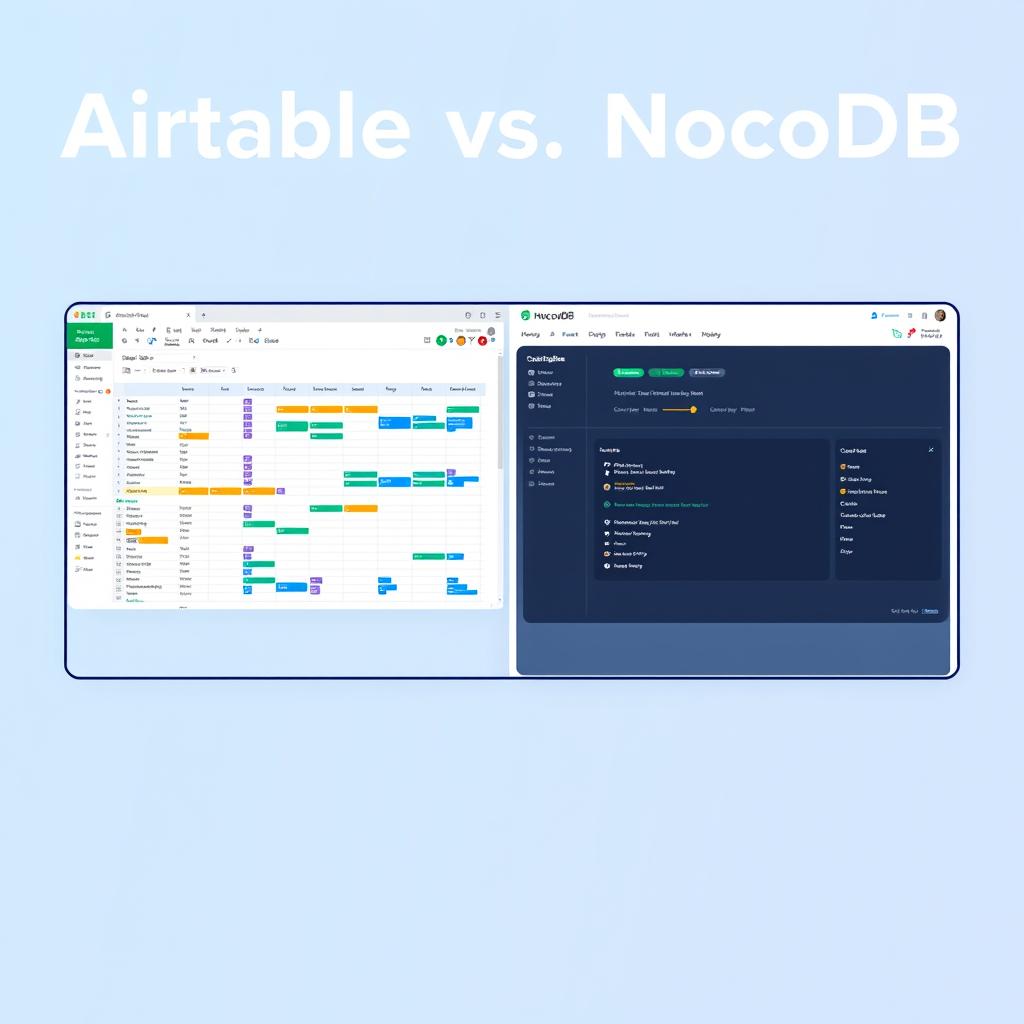
Airtable vs NocoDB (2026): Which Database Platform Wins for Your Team?
TL;DR: Airtable wins on polish, integrations, and onboarding speed — it’s the fastest way to get a team running on a shared database. NocoDB wins on cost at scale, data ownership, and SQL-level power — it’s the better choice for teams that need to scale past 50,000 records, connect to existing Postgres/MySQL databases, or keep data fully in-house. If you have under 10 editors and need to ship fast, start with Airtable. If you’re building for the long haul with an engineering team, start with NocoDB.
Why This Comparison Matters in 2026
The no-code database space has split into two distinct camps. On one side, Airtable continues to dominate as the polished, drop-dead-simple spreadsheet-database hybrid trusted by 500,000+ companies (Airtable). On the other, NocoDB has grown to 35,000+ organizations and 63K GitHub stars as the open-source alternative that gives teams complete data sovereignty and zero per-seat surprises (NocoDB).
The choice between them isn’t about which is “better” — it’s about where your team falls on the spectrum of convenience vs. control. This guide breaks down the differences across pricing, features, scalability, and real-world use cases so you can choose with confidence.
If you’re evaluating the broader no-code ecosystem, you might also find our breakdowns of Bubble vs FlutterFlow vs WeWeb or n8n vs Make useful as you build your stack.
At a Glance: Key Differences
| Feature | Airtable | NocoDB |
|---|---|---|
| Type | Proprietary SaaS | Fair-code (open-source + cloud) |
| Database Engine | Proprietary (Airtable-hosted) | Postgres / MySQL / SQLite (yours or theirs) |
| Deployment | Cloud-only (SaaS) | Cloud + Self-hosted + Docker |
| Max Records | 500,000 per base (Enterprise) | Millions (unlimited self-hosted) |
| Per-Seat Pricing | $20–$54 per editor/mo | $0–$45/editor/mo (capped at 9 paid seats) |
| REST API | Yes (1K–unlimited calls/mo) | Yes (Meta + Data APIs v2/v3) |
| Self-Hosted Option | ❌ No | ✅ Yes (Docker, binary) |
| Open Source | ❌ No | ✅ Fair-code (Sustainable Use License) |
| GitHub Stars | N/A | 63,000+ |
| Mobile App | ✅ Yes (iOS & Android) | ⚠️ Responsive web (no native app) |
Pricing: Where the Two Diverge Most
This is the single biggest differentiator — and the reason most teams evaluate NocoDB in the first place.
Airtable Pricing (June 2026)
Airtable charges per editor per month. Every person who can edit at least one base is a billable seat — read-only collaborators, form submitters, and share-link viewers are free.
| Plan | Price (annual) | Per Base Limits |
|---|---|---|
| Free | $0 (5 editors max) | 1,000 records, 1 GB attachments |
| Team | $20/editor/mo | 50,000 records, 20 GB |
| Business | $45/editor/mo | 125,000 records, 100 GB |
| Enterprise Scale | Custom (contact sales) | 500,000 records, 1,000 GB |
External portal users (guests) cost extra: $120–$150/month for 15 guests. Automation runs cap at 25K (Team) to 500K (Enterprise). (Source: Airtable pricing)
Real-world example: A 25-editor team on the Team plan pays $500/month ($6,000/year). Add portal access for external clients and you’re looking at $620+/month.
NocoDB Pricing (June 2026)
NocoDB has two models — Cloud (SaaS) and Self-hosted (fair-code):
Cloud (SaaS):
| Plan | Price (annual) | Key Limits |
|---|---|---|
| Free | $0 (3 editors) | 1,000 records, 1 GB |
| Plus | $12/editor/mo — caps at $108/mo | 50,000 records, 20 GB |
| Business | $24/editor/mo — caps at $216/mo | 300,000 records, 100 GB |
| Scale | $45/editor/mo (min 3 seats) | 1M records, 150 GB |
Self-hosted (fair-code):
| Plan | Price | Key Features |
|---|---|---|
| Community | $0 | Unlimited records, storage, seats, all views |
| Business | $24/editor/mo | SSO, workflows, scripts, dashboards |
| Scale | $45/editor/mo (min 3) | Row-level security, audit logs, team hierarchy |
The killer feature: NocoDB’s “pay for 9, get unlimited” model caps editor billing. A 50-editor team on the Plus plan pays $108/month total — not $600. (Source: NocoDB pricing)
Cost Comparison: 25-Editor Team
| Cost Center | Airtable Team | NocoDB Cloud Plus | NocoDB Self-hosted Community |
|---|---|---|---|
| Monthly cost | $500 | $108 | $0 (+ infrastructure) |
| Annual cost | $6,000 | $1,296 | $0–$500 (VPS/server) |
| Record limit | 50K/base | 50K | Unlimited |
| Portal/external users | Extra ($120/mo) | Free (viewers/commenters) | Free |
NocoDB’s self-hosted option eliminates per-seat costs entirely — you pay only for the server. A $10/month VPS from DigitalOcean runs NocoDB for any team size.
Feature Comparison: Beyond the Price Tag
User Interface & Ease of Use
Airtable has one of the most polished UIs in the no-code space. Setting up a base takes minutes. The grid, calendar, Kanban, and Gantt views are intuitive even for non-technical team members. The Interface Designer lets you build custom dashboards without touching code. New users are productive in under an hour (Airtable guides).
NocoDB offers the same core views — Grid, Kanban, Gallery, Form, Calendar, and Map — but the polish level is noticeably lower. It’s functional and fast, but the learning curve is steeper. Non-technical users may need a half-day to get comfortable. The UI has improved significantly since the 2025 releases (v2026.06.0 ships document version history and NocoDB Sync), but it’s still not Airtable-smooth (NocoDB releases).
Winner: Airtable — for onboarding speed and polish.
Database Power & Flexibility
Airtable uses a proprietary database engine. You have record limits (1K–500K per base), attachment caps, and you cannot directly query via SQL. The API is REST-only. For most team workflows this is fine, but power users hit the ceiling.
NocoDB sits directly on top of PostgreSQL, MySQL, or SQLite. You can connect NocoDB to your existing database and immediately get a spreadsheet-style interface plus auto-generated REST APIs. You can also query the underlying database directly with SQL. There are no real record limits — it scales to millions of rows (NocoDB docs).
For engineering teams that already use Postgres, NocoDB is a no-brainer — it’s a free UI layer on your existing data.
Winner: NocoDB — for SQL access, unlimited scale, and existing DB connections.
Integration Ecosystem
Airtable has a rich ecosystem: native sync integrations with Salesforce, HubSpot, Jira, Slack, Google Drive, and hundreds of apps via its marketplace. Two-way sync is available on Business+ plans. You can also connect via Zapier, Make, or custom API calls.
NocoDB has a smaller native integration set (Slack, Discord, Mattermost for chat; AWS S3, GCS, Minio for storage; email via SMTP/SES). However, it provides robust REST APIs and webhooks that let you connect to any external tool. The flexibility is there — you just need to build the connections yourself or use n8n as a bridge.
Winner: Airtable — for breadth of pre-built integrations. NocoDB wins on API flexibility.
Automation
Airtable has a built-in automation engine with 100–500K runs/month depending on plan. You can trigger actions on record changes, schedule runs, and connect to integrations. The Builder is visual and accessible.
NocoDB offers webhook-based automations — trigger API calls on record events. The Business+ self-hosted and Scale plans add script-based workflows. It’s more flexible but less visual. For complex automation, most NocoDB users pair it with an external automation tool like n8n.
Winner: Airtable — for built-in ease. NocoDB wins with external automation tools.
Deployment & Data Control
Airtable is SaaS-only. Your data lives on Airtable’s servers. There is no self-hosted option even on the Enterprise plan. This is fine for most teams but a dealbreaker for regulated industries (healthcare, finance, government) that require on-premises data residency.
NocoDB offers full deployment flexibility: cloud SaaS, Docker self-hosted, or bare-metal binary. You can bring your own database (Postgres/MySQL), run it in your VPC, and configure air-gapped installations on the Enterprise plan. SOC2 and HIPAA compliance are available on appropriate plans.
The self-hosted Community edition is free forever with unlimited everything — you pay only for your infrastructure.
Winner: NocoDB — for data sovereignty and deployment flexibility.
Security & Compliance
| Feature | Airtable | NocoDB |
|---|---|---|
| SOC 2 | ✅ Yes | ✅ Cloud + Enterprise |
| HIPAA | ✅ Enterprise Scale | ✅ Enterprise |
| SAML SSO | ✅ Business+ | ✅ Business+ |
| Audit logs | ✅ Enterprise Scale | ✅ Scale+ (30–365 day retention) |
| Row-level security | ❌ No | ✅ Scale+ |
| Field-level permissions | ❌ No | ✅ Plus+ (cloud), Business+ (self-hosted) |
| 2FA | ❌ Basic only | ✅ Enterprise |
| Data encryption in transit | ✅ Yes | ✅ Yes |
| Data encryption at rest | ✅ Yes | ✅ Yes |
Airtable has stronger out-of-the-box compliance documentation, but NocoDB offers more granular permission controls (row-level and field-level security) that Airtable doesn’t match.
Winner: Tie — Airtable for established compliance, NocoDB for granularity.
Pros and Cons at a Glance
Airtable ✅ Pros
- Most polished, intuitive UI in the category
- Fastest onboarding — teams productive in minutes
- 500+ native integrations and sync connectors
- Rich mobile app (iOS + Android)
- Strong community and 500K+ company install base
- Excellent support documentation
Airtable ❌ Cons
- Per-seat pricing gets expensive fast ($500/mo for 25 editors)
- Record limits per base (50K on Team, 125K on Business)
- No SQL access — proprietary database only
- No self-hosted option — zero data portability beyond CSV/API export
- Portal/guest users cost extra
- No row-level or field-level permissions
- Vendor lock-in — rebuilding from scratch to migrate
NocoDB ✅ Pros
- Self-hosted Community edition is $0 forever (unlimited records/users)
- Cloud pricing caps at 9 paid seats — 50 editors pay for 9
- Full SQL access to underlying Postgres/MySQL database
- Scales to millions of rows — no artificial limits
- Data sovereignty — self-host in your own infrastructure
- REST APIs auto-generated for every table
- Row-level and field-level security on higher plans
NocoDB ❌ Cons
- Less polished UI — steeper learning curve for non-technical users
- Fewer pre-built native integrations
- No native mobile app (responsive web only)
- Smaller community and fewer templates
- Automation requires scripting or external tools
- Setup requires technical know-how (Docker or CLI)
When to Choose Which: A Decision Framework
Choose Airtable if:
You value speed over cost control. If you have a small team (under 10 editors), a healthy budget, and need to be productive in minutes, Airtable is the clear winner. It’s ideal for marketing teams, small agency operations, and project management where strict database controls aren’t needed.
Your team is non-technical. If nobody on the team can run Docker or write a SQL query, Airtable’s no-setup nature is a major advantage.
You need deep integrations out of the box. Sync with Salesforce, Jira, HubSpot, and 500+ other tools without writing a line of code.
You’re building client-facing portals. Airtable’s Interface Designer and Portal add-on make it easy to spin up shareable front-ends for external stakeholders.
Choose NocoDB if:
You’re cost-conscious or scaling fast. A team of 25+ editors saves thousands per year with NocoDB. At 50 editors, Airtable costs $12,000+/year vs NocoDB’s $1,296 or $0 self-hosted.
You need data sovereignty. Healthcare, finance, legal, or government use cases that require on-premises data or VPC deployment — NocoDB is the only option here.
You already use Postgres/MySQL. NocoDB is literally a free UI layer on top of your existing database. You get a spreadsheet interface AND SQL access.
You’re building a long-term product. NocoDB avoids vendor lock-in. Your data lives in a standard Postgres database you control. Migrating away is trivial — just point another tool at the same database.
You need granular permissions. Row-level and field-level security let you control exactly who sees what — critical for multi-department or client-facing databases.
What Users Say
From the Softr Airtable alternatives roundup (Softr blog):
“Compared to Airtable, NocoDB is better for developers or teams that want to manage large datasets, create custom apps, and avoid vendor lock-in.”
From the AppAca NocoDB vs Airtable comparison (AppAca):
“NocoDB covers core features but Airtable has a more polished UI, better integrations, and more view types.”
From the GoodDay best alternatives list (GoodDay):
“Airtable offers a more intuitive interface and stronger collaboration features out of the box. The choice depends on whether you prefer powerful features and full control (NocoDB) or a user-friendly interface and quick setup (Airtable).”
Real-World Migration Path: Switching from Airtable to NocoDB
If you’re currently on Airtable and considering the switch, here’s the process:
- Export your Airtable bases as CSV or via the REST API
- Select your database — spin up a Postgres instance on DigitalOcean, Railway, or Supabase
- Deploy NocoDB —
docker run -d -p 8080:8080 -v ./data:/usr/app/data/ nocodb/nocodb:latest - Import your data via CSV upload or the NocoDB API
- Recreate views, formulas, and automations in NocoDB
- Run in parallel for 1–2 weeks to validate data parity
- Redirect your team and update any API integrations
The migration is straightforward for teams with basic DevOps skills. If that sounds like more work than you want, Airtable’s zero-setup simplicity is worth the premium.
The Verdict
| Scenario | Recommendation |
|---|---|
| Small team (<10), non-technical, needs speed | Airtable — no contest |
| Team of 25+, cost matters | NocoDB — saves $4K+/year |
| Regulated industry (healthcare/finance) | NocoDB — self-hosted data control |
| Engineering team with existing Postgres | NocoDB — free UI layer |
| Need deep integrations (Jira, Salesforce, HubSpot) | Airtable — native sync ecosystem |
| Building a client portal | Airtable — Interface Designer; or NocoDB with Softr |
| Long-term platform, no vendor lock-in | NocoDB — standard Postgres under the hood |
| Zero budget, unlimited scale | NocoDB — Community edition, self-hosted |
Final word: If you have a budget and need to move fast, Airtable is an excellent product that delivers real value. If you’re building something that needs to scale — in data volume, team size, or compliance requirements — NocoDB’s open-source foundation and capped pricing make it the smarter long-term bet.
Most power users we know end up using both: Airtable for quick projects and front-end interfaces, NocoDB for production databases that need to scale without breaking the bank.
References
- Airtable Pricing (June 2026) — Official pricing plans and per-seat costs
- NocoDB Pricing — Cloud and self-hosted plan comparison
- NocoDB GitHub Repository — 63K+ stars, feature list, and installation docs
- Softr: 9 Best Airtable Alternatives for 2026 — Ranked comparison of database tools
- AppAca: NocoDB vs Airtable Comparison — Feature-by-feature comparison
- GoodDay: Best Airtable Alternatives in 2026 — Expert review and use-case guidance
- NocoDB Docs: Understanding Pricing — “Pay for 9, get unlimited” model explained
📖 Related Reads
- ToolBrain — tool reviews, LLM comparisons, and AI workflow guides
Cross-links automatically generated from NoCode Insider.